
EasyPaisa vs JazzCash on Dragon Tiger: Which Should You Use?
Published · Updated · By Abdullah Malik, Payments & Growth Editor
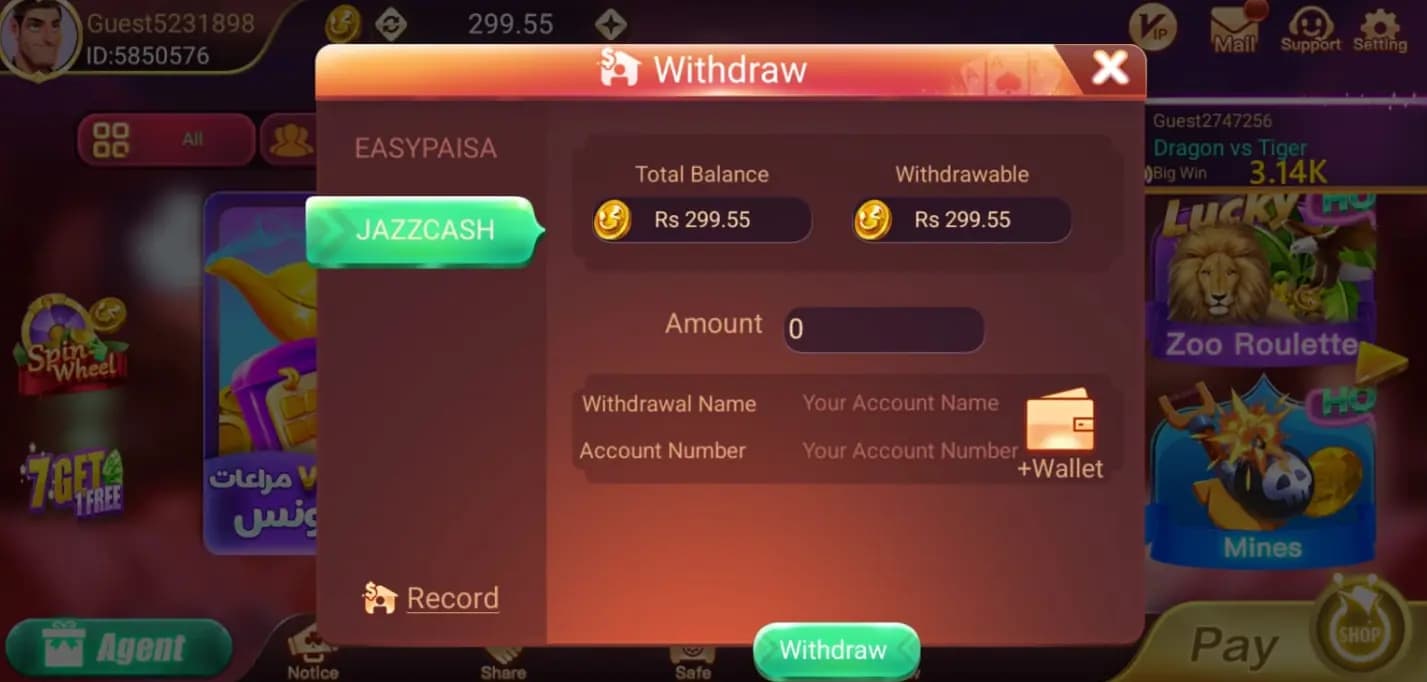
One of the main reasons Dragon Tiger has caught on with Pakistani players is that it supports EasyPaisa and JazzCash natively — no foreign bank card, no third-party processor. But if you use both wallets, which should you pick for the app?
The short answer
For most players, the choice comes down to whichever wallet you already use day to day. Both are supported for deposits and withdrawals, and the in-app flow is nearly identical for each.
How the deposit flow works
The steps are the same regardless of provider:
- Open Wallet and choose Deposit.
- Select EasyPaisa or JazzCash.
- Enter your amount (minimum PKR 100).
- Confirm through the provider's own authorization prompt.
Deposits usually reflect within minutes under normal conditions.
Withdrawals: what to expect
Withdrawal processing time can vary slightly between the two providers depending on network load, though both typically settle within a few hours. The minimum withdrawal is PKR 200. If a withdrawal is taking longer than expected during a busy period, it's usually a queue issue rather than a problem with your account.
The one detail that matters most
Whichever wallet you choose, make sure the mobile number linked to your EasyPaisa or JazzCash account matches the one registered on your Dragon Tiger account. A mismatch here is the most common cause of failed deposits and delayed withdrawals — something we cover further in our game strategy guide and FAQ.
Bottom line
There's no strong technical reason to prefer one over the other — pick the wallet you keep funded and use regularly. And as with everything on the app, only deposit money you can comfortably afford to lose.